
The domain ecosystem is far larger than the visible web. An industry summary reports 401.6 million registered domain names worldwide in Q2 2026, while the number of active websites was only about 218 million in June 2026. That difference, documented in the 2026 domain name statistics summary, shows that domains aren't just addresses for finished websites. They support defensive branding, redirects, parked properties, internal services, future products, and increasingly, customer-facing AI systems.
For a team shipping AI agents, the important question isn't whether a domain name looks professional. It's whether each client can reach the right agent through a trusted address, whether traffic stays separated, whether HTTPS certificates renew automatically, and whether private deployments remain private. A custom domain becomes part of the deployment architecture, not a cosmetic layer added at the end.
Table of Contents
<a id="why-custom-domain-names-matter-for-ai-deployments"></a>
Why Custom Domain Names Matter for AI Deployments
An AI agent often starts life behind a platform URL. That works well for internal testing. Engineers can open a preview, inspect logs, and let an agent serve a small group of signed-in users without changing the network design.
The pressure arrives when the agent becomes a product. A consultancy may deploy a support agent for a legal firm, a knowledge assistant for a manufacturer, or a coding workspace for an enterprise team. If every customer sees the hosting platform's name in the address bar, the agency has to explain who operates the service, where the customer should sign in, and whether the deployment is genuinely part of the agency's offering.
Custom domain names close that credibility and control gap. A branded address such as agents.client-example.com tells the visitor which organization owns the experience. It also gives the deployment a stable public identity even if the underlying machines, containers, or routing targets change.
<a id="the-domain-is-part-of-the-product-boundary"></a>
The domain is part of the product boundary
For multi-tenant AI systems, the address helps establish boundaries between customers. A team might use one subdomain per client, separate domains for distinct products, or a consistent naming scheme for agents, environments, and support portals. The domain doesn't create isolation by itself, but it makes the intended isolation visible and easier to operate.
That distinction matters. DNS can direct a request to the right service, while the application and hosting platform still need to enforce authentication, authorization, data separation, and runtime boundaries. A branded address is therefore one layer in a larger design.
Practical rule: Treat the domain, certificate, routing policy, identity controls, and tenant mapping as one deployment feature.
The rest of the implementation follows a clear chain. A domain gives people a memorable name. DNS points that name toward a service. TLS proves that the service is authorized to use the name and encrypts the connection. The platform then maps the request to the correct agent or private network.
For an agency, this chain supports white-label delivery. For an internal engineering team, it provides a stable interface around changing infrastructure. For a compliance-focused organization, it creates a place to connect hosting region, access policy, audit controls, and customer ownership decisions.
<a id="what-a-custom-domain-name-actually-is"></a>
What a Custom Domain Name Actually Is
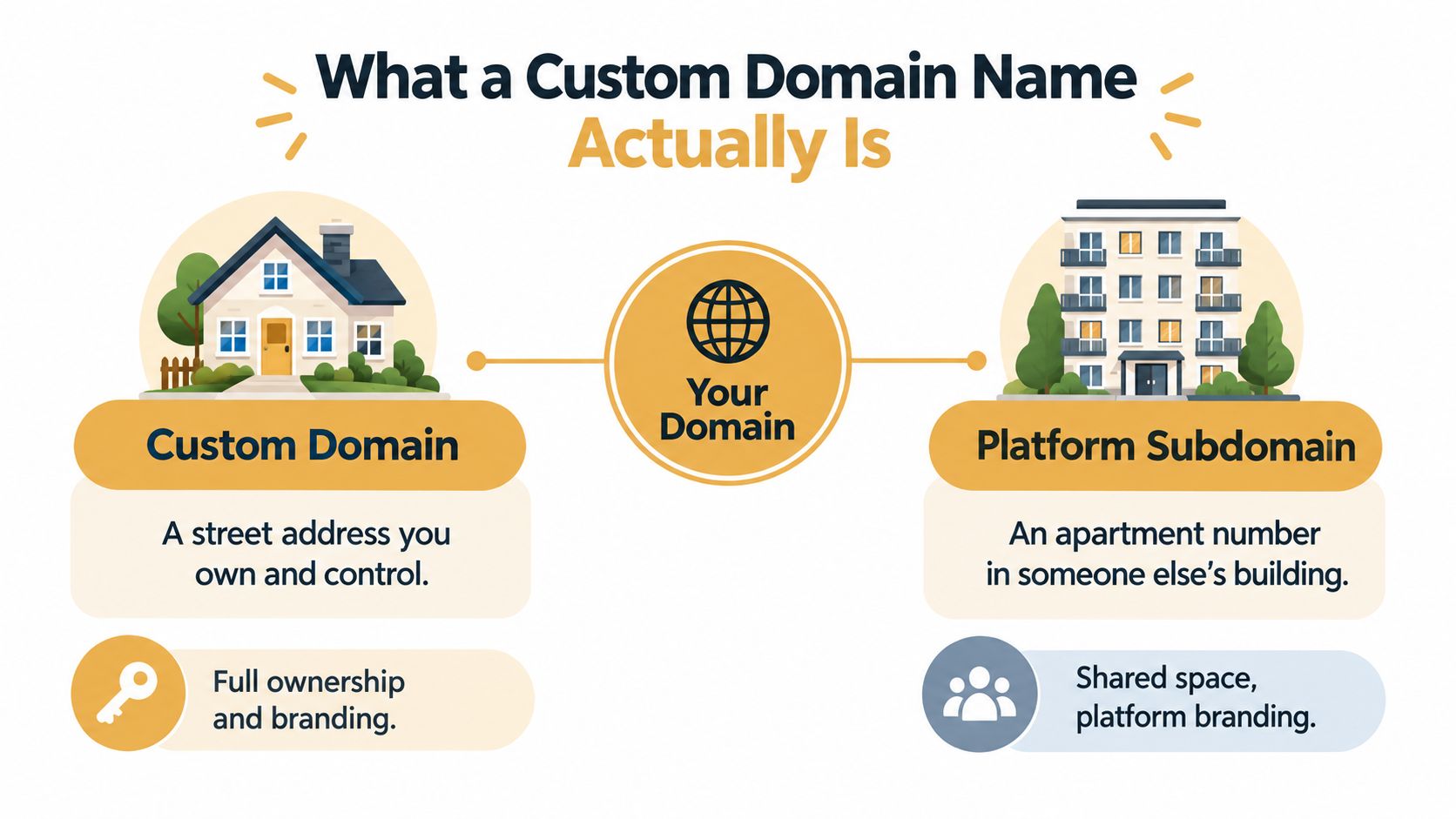
Think of a custom domain as a street address that your organization controls. A platform subdomain is more like an apartment number in someone else's building. You can use the apartment, decorate the room, and invite people in, but the building owner still controls the property name and the wider address system.
A domain has several parts:
Top-level domain, or TLD: The ending, such as
.com,.org,.ai, or a country-code extension.Second-level name: The organization-controlled name immediately before the TLD, such as
yourcompanyinyourcompany.com.Subdomain: An optional label placed before the root domain, such as
agentsinagents.yourcompany.com.
The root domain is yourcompany.com. A team can create several subdomains beneath it, including agents.yourcompany.com, docs.yourcompany.com, and status.yourcompany.com. Each can point to a different service while remaining visibly connected to the same organization.
<a id="ownership-changes-the-visitors-experience"></a>
Ownership changes the visitor's experience
Compare two addresses:
yourcompany.sokko.runagents.yourcompany.com
Both might lead to the same kind of AI agent. The first tells the visitor that a platform hosts the service. The second puts the experience inside your company's naming system. That distinction can simplify customer communication, reinforce a white-label offering, and make the agent feel like part of an existing product suite.
Owning the root also gives your team control over future naming. You can add subdomains, move services, create regional patterns, and establish conventions without asking another platform to change its namespace. You still depend on a registrar and DNS provider, but the public identity belongs to your organization.
A custom domain doesn't automatically mean a separate physical server, database, or security boundary. It means the public name is yours. The hosting layer must still map requests correctly and enforce access rules for every customer and agent.
<a id="how-custom-domains-evolved-into-a-global-system"></a>
How Custom Domains Evolved Into a Global System
Symbolics.com was registered in 1985, marking an early milestone in public domain-name registration. What began as a carefully coordinated network function became an address system used by companies, communities, and software platforms worldwide.
In 1993, the U.S. National Science Foundation helped establish InterNIC, making registration more standardized and accessible. ICANN followed in 1998 to coordinate the global domain name system. These changes moved domain ownership beyond specialist infrastructure and into ordinary business operations.
The namespace expanded with familiar extensions such as .com, .org, and .net. The same historical account records 13 additional TLDs by the early 2000s, followed by ICANN's 2011 new gTLD program. That expansion created the varied set of endings teams choose from today.
<a id="why-extension-choice-feels-different-now"></a>
Why extension choice feels different now
A .com address remains a practical choice for many global businesses. Country-code extensions can identify a national market, while newer endings can signal a category, technology, or community. The .ai extension shows how quickly an ending can become associated with a technology market. Industry reporting noted that .ai passed 1 million registrations in January 2026, roughly 67% higher than a year earlier, as described in this domain ecosystem summary.
An extension does not establish trust by itself. Teams should check how customers pronounce it, whether it fits the organization's legal and regional identity, and whether the registrar supports business controls such as account security and domain transfer management.
For AI deployments, the domain has also become part of the delivery system. A multi-tenant platform may assign each client a branded hostname, then use DNS to route requests, TLS automation to verify each hostname, and application rules to keep one client's agent separate from another's. White-label deployments and private tunnels extend that system beyond a public website, connecting a client-facing address to services running behind controlled infrastructure.
The practical lesson is that domain selection is a namespace and operations decision, not only a search for an available .com. Teams can choose a root that fits the brand, then organize agents, dashboards, documentation, and client environments beneath it.
<a id="branding-isolation-and-white-label-benefits"></a>
Branding, Isolation, and White-Label Benefits
A custom domain earns its place when the agent is part of a customer relationship. An internal prototype can remain on a platform URL. A service that an agency sells, supports, and secures under its own name needs a public identity that doesn't force the customer to encounter someone else's brand.
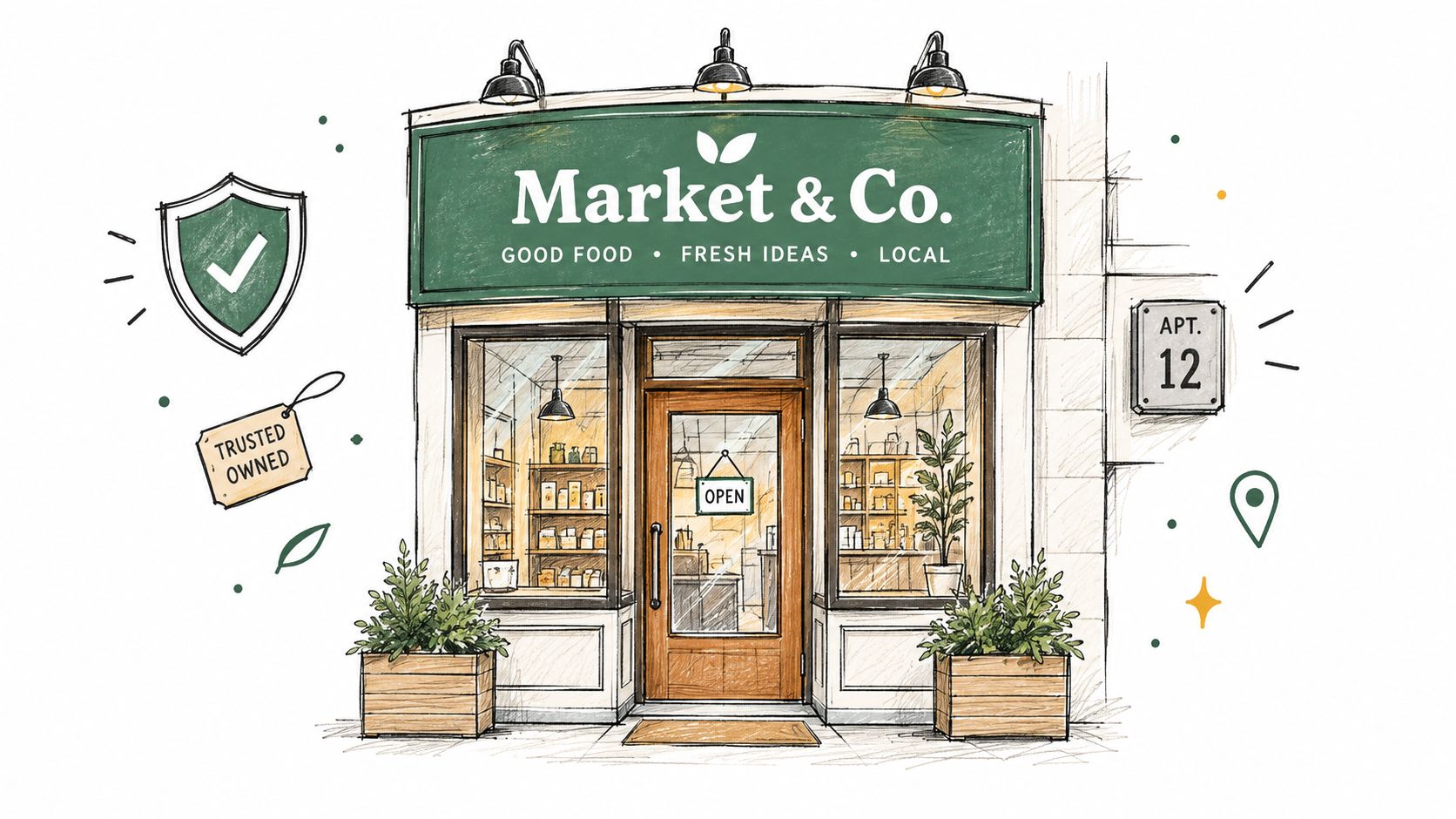
A useful comparison is a local storefront. Customers expect the sign above the door to match the business they chose. They may not care which landlord provides the building, but they do care that the business can explain who operates the service and where to get help. A branded agent address plays a similar role online.
<a id="branding-gives-customers-a-recognizable-entry-point"></a>
Branding gives customers a recognizable entry point
An agency serving several organizations might assign each customer a branded agent address under that customer's domain. The customer sees its own identity, while the agency operates the deployments behind the scenes. That arrangement can reduce confusion between separate workspaces and make links easier to include in onboarding material, support tickets, and internal documentation.
Branding isn't the same as trust. A polished domain can't compensate for weak authentication or unclear data handling. It does, however, make ownership legible. The visitor can connect the agent with a known organization rather than treating an unfamiliar platform hostname as the product.
<a id="isolation-makes-the-operating-model-clearer"></a>
Isolation makes the operating model clearer
A multi-client deployment needs more than separate URLs. Each client should have an explicit tenant mapping, distinct credentials, controlled data access, and a runtime boundary appropriate to the workload. Separate domains or subdomains help operators see which request belongs to which customer and reduce the chance of sending an invitation or support instruction to the wrong environment.
Consider a managed service provider supporting several customers. A consistent pattern such as agent.customer-a.example, agent.customer-b.example, and agent.customer-c.example gives the operations team a visible inventory. The platform still needs per-client isolation, but the naming scheme makes that policy easier to audit and explain.
White-label delivery extends the same idea. The agency can present the agent as its own managed service, use invite-only access, and keep the hosting vendor out of the customer-facing navigation. Teams evaluating these patterns can review white-label deployment examples for practical reference.
A custom domain is a nice-to-have for experiments. It becomes a business requirement when customers must recognize the service, when multiple tenants need clear boundaries, or when an agency's commercial offer depends on delivering the technology under its own name.
The visual difference between a platform-hosted preview and a branded service becomes easier to understand in this short overview:
<iframe width="100%" style="aspect-ratio: 16 / 9;" src="https://www.youtube.com/embed/pnoFsFbvOcw" frameborder="0" allow="autoplay; encrypted-media" allowfullscreen></iframe><a id="dns-basics-every-team-should-understand"></a>
DNS Basics Every Team Should Understand
DNS works like the internet's phonebook. A person enters a readable name such as agents.yourcompany.com, and DNS helps the browser locate the service responsible for that name. The browser does not need to know how the platform arranges its machines. It needs a dependable answer about where to send the request.
The two records you will configure in almost every custom-domain setup are A records and CNAME records. An A record connects a hostname to an IPv4 address. A CNAME connects one hostname to another hostname, which lets a hosted platform direct a branded address to its canonical service name. For a multi-tenant AI platform, that canonical target can give many client domains a consistent routing destination while each client keeps its own hostname.
<a id="the-apex-creates-a-technical-wrinkle"></a>
The apex creates a technical wrinkle
The zone apex is the root of a domain, such as yourcompany.com. Under the DNS standard, the apex normally cannot contain a CNAME because that same name must also carry the zone's required authority records. SaaS platforms therefore face a practical constraint: customers may want the root domain to work without maintaining the provider's changing backend addresses.
CNAME flattening handles this constraint. As Cloudflare's documentation explains, a provider can resolve the CNAME target chain for the customer and return A or AAAA answers. The customer points the root toward a hostname, while the DNS provider performs the lookup and presents address records to the requesting client.
That arrangement suits branded agent hosting because infrastructure can change behind the name. A platform may move traffic, rotate machines, or adjust its service topology without asking every customer to replace hard-coded addresses. The branded domain stays as the stable entry point, whether traffic reaches a public hosted service or a route protected through a private tunnel.
<a id="a-compact-record-guide"></a>
A compact record guide
| Record Type | What It Does | When You Use It |
|---|---|---|
| A | Points a hostname to an IPv4 address | A service gives you a fixed IPv4 destination |
| CNAME | Points one hostname to another hostname | A hosted platform provides a canonical target |
| AAAA | Points a hostname to an IPv6 address | A service requires an IPv6 destination |
| TXT | Stores text used for verification or policy | A provider asks you to prove domain control or publish a policy |
DNS handles routing, not identity or access control. It can direct a request to a destination, but it does not prove that the responding service is authorized to use the domain. It also does not determine which authenticated user may access a particular agent. Certificate validation, the application, and the hosting platform handle those responsibilities.
<a id="how-tls-certificates-work-on-custom-domains"></a>
How TLS Certificates Work on Custom Domains
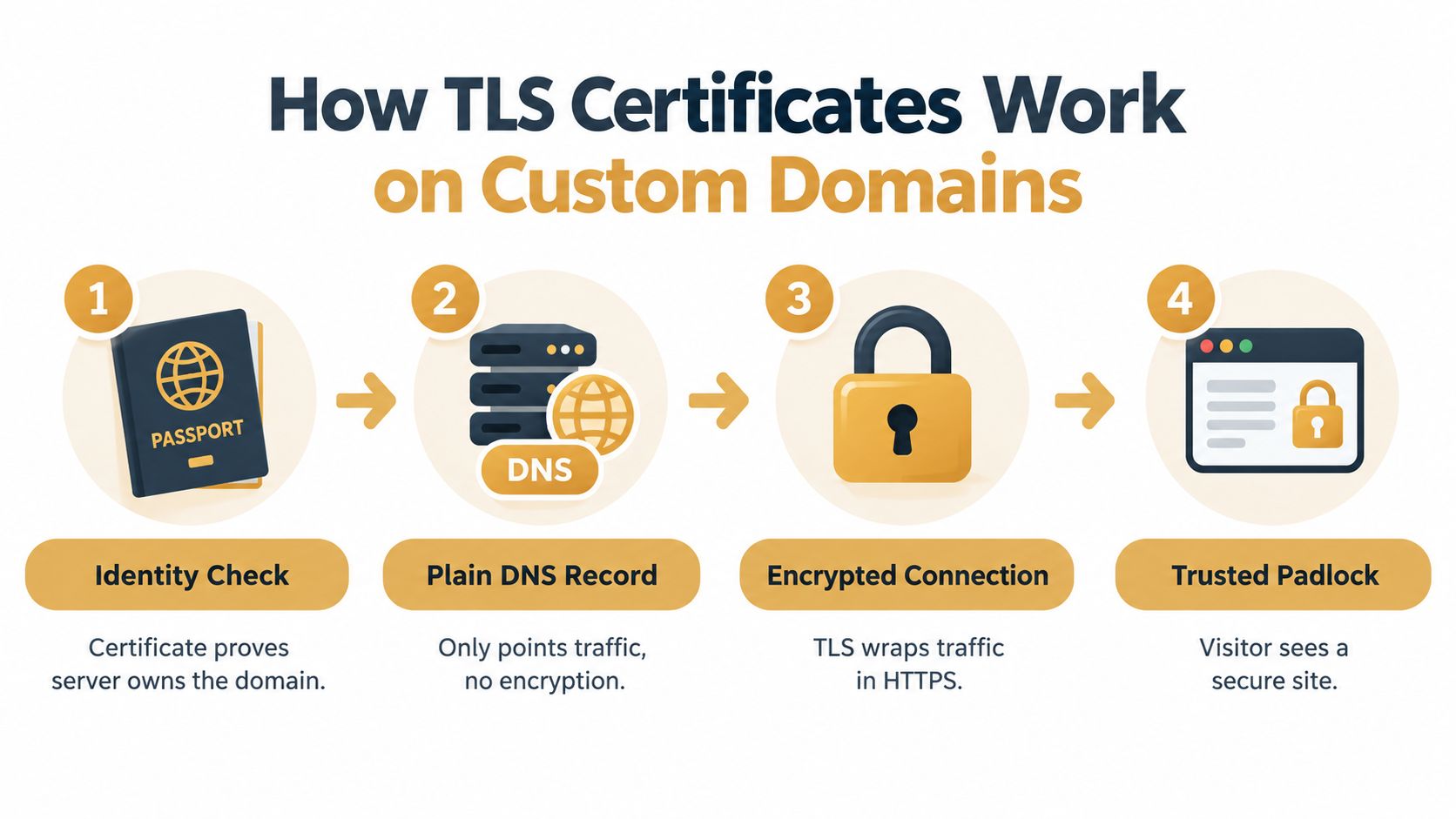
DNS tells a browser where to go. TLS tells the browser whether it should trust the service it reached and encrypt the conversation. A useful analogy is passport control. The domain is the identity the visitor expects, and the certificate is evidence that the server is allowed to present itself under that identity.
A DNS record alone isn't enough. Someone could point a name at a server without owning the domain, so certificate authorities require a domain-control check before issuing a certificate. The service must complete a challenge that demonstrates control through an approved channel.
<a id="acme-turns-certificate-work-into-an-operational-process"></a>
ACME turns certificate work into an operational process
ACME, the protocol commonly used for automated certificate issuance, lets a platform request and renew certificates as domains are added. This is essential for multi-tenant systems. Manual certificate handling might be tolerable for one internal service, but it becomes fragile when customers can onboard their own domains or when an agency manages a growing portfolio.
TLS-ALPN-01 provides one ACME validation method. The RFC describing TLS-ALPN-01 specifies validation over TCP port 443. During the challenge, the client serves a special TLS response identified through ALPN. The certificate authority checks that response to confirm control, without requiring the service to expose an arbitrary file over HTTP.
That approach fits platforms that need to issue domain-validated certificates quickly across many tenant domains. It can also help in network environments where HTTP-based file publication isn't desirable or practical.
<a id="questions-to-ask-before-onboarding-customers"></a>
Questions to ask before onboarding customers
A platform handling custom domains should make certificate operations invisible to the customer without making them opaque to the operator. Ask whether it:
Automates issuance: New domains should enter a repeatable validation flow rather than a support queue.
Renews certificates: The system should renew before expiry and surface failures clearly.
Separates tenants: One customer's certificate and routing state shouldn't be confused with another's.
Explains failures: Operators need useful status information when DNS propagation, validation, or authorization fails.
Supports private paths: A public certificate flow may not be appropriate for an agent available only inside a private network.
HTTPS protects traffic in transit, but it doesn't grant a user access to an agent. Authentication, invitations, session controls, secrets management, and tenant authorization still determine who can use the service. Teams can review Sokko's security information when comparing how a hosted agent platform presents its security controls.
<a id="custom-domains-on-sokko-and-private-tunnel-options"></a>
Custom Domains on Sokko and Private Tunnel Options
A public branded deployment and a private internal deployment solve different problems. The first gives customers a recognizable address. The second keeps the agent inside an organization's network boundary and avoids exposing a public URL at all.
Sokko supports white-label deployment on custom domains with per-client isolation and invite-only access controls on the Bakery plan. That configuration fits an agency or managed service provider that needs to present separate branded agents while controlling who can enter each environment.
The default preview experience is different. Each branch can run at a real address on sokko.run, with devboxes reachable through addresses such as dbx-yourapp.sokko.run. Those URLs are useful for testing because a human can open the running application rather than relying on an agent's claim that a change is complete.
<a id="choose-the-access-mode-that-matches-the-audience"></a>
Choose the access mode that matches the audience
A team can use a public sokko.run link gated to signed-in organization members when collaborators need browser access without exposing the service to everyone on the internet. This mode suits shared previews, internal review, and controlled project testing.
A fully private devbox can run inside the organization's own Tailscale tailnet with no public URL. That option makes sense when the application handles internal data, connects to private services, or should be reachable only by devices enrolled in the organization's network.
For agents that need to reach systems inside an existing company network, Tailscale and Cloudflare Tunnel support provide another path. The agent can expose a service through the organization's networking model or use its own domain while traffic travels through a controlled tunnel. The Sokko tunnel guide provides the platform-specific setup details.
<a id="public-branding-and-private-networking-can-coexist"></a>
Public branding and private networking can coexist
An agency might publish a customer support agent at a branded domain while keeping its administrative tools on a private tailnet. An engineering team might expose a review environment to authenticated organization members, while the database and internal APIs remain inaccessible from the public route. These aren't competing ideas. They are separate entry paths with different audiences.
Regional decisions belong in the same architecture conversation. Sokko provides US and EU regions, including EU data residency for relevant workloads. For European teams, domain governance, hosting location, access controls, and data-handling requirements should be evaluated together rather than treated as separate procurement questions.
<a id="planning-your-custom-domain-strategy"></a>
Planning Your Custom Domain Strategy
Start with the customer experience. Decide whether the agent needs a public branded address, an organization-only URL, or no public URL because it belongs inside a private tunnel. Choose a root domain and TLD that fit the brand and the markets served, then define a naming pattern for agents, tenants, environments, and support services.
Next, write down the ownership model. The organization should know who controls the registrar, who can change DNS, who approves new tenant domains, and how a domain is transferred if an agency relationship ends. A domain that works technically but has unclear ownership creates operational risk.
<a id="use-this-architecture-checklist"></a>
Use this architecture checklist
Name the boundary: Decide whether each client gets a subdomain, a separate root domain, or a private network route.
Automate DNS and TLS: Select a platform that supports predictable routing, domain-control validation, certificate renewal, and useful failure messages.
Separate public and private access: Use branded URLs for customer-facing services and tunnels for agents that must stay within an organization's network.
Map each tenant explicitly: Keep domain, identity, data, runtime, and support ownership aligned.
Include regional requirements early: European workloads may require EU hosting, EU data residency, or region-specific inference choices. The industry reporting on domain operations and regulation describes how NIS2 is raising the operational bar in Europe and why local extensions remain relevant for national markets.
Test the offboarding path: Confirm how you remove a customer's domain, revoke access, preserve records, and transfer ownership without interrupting other tenants.
A custom domain isn't decoration. It's the trust layer customers see first, the routing label operators use to identify a deployment, and one part of the boundary between a hosted AI service and the people allowed to use it.
Sokko supports always-on AI agent hosting, real preview URLs, white-label custom domains, per-client isolation, and private networking through Tailscale and Cloudflare Tunnel. Visit Sokko to evaluate whether its public branded and private deployment options fit your next AI agent architecture.