
Your team probably already has the symptom. A prompt tweak fixed one nasty failure, then support started seeing a different one. A model looked better in a notebook, then felt worse in the product. Someone pasted a benchmark score into Slack, but nobody could answer the obvious follow-up: what exactly changed, and can we reproduce it?
That's the point where an LLM evaluation harness stops being a research convenience and becomes engineering infrastructure. It gives you a controlled way to run the same tests, under the same conditions, and explain why a score moved. Without that, you're not comparing model versions. You're comparing a pile of hidden variables.
Table of Contents
<a id="why-teams-need-an-llm-evaluation-harness"></a>
Why Teams Need an LLM Evaluation Harness
The usual starting point is manual review. You grab a handful of prompts, inspect outputs, and decide whether the model feels better. That works for early prototyping. It breaks as soon as multiple people edit prompts, switch providers, add retrieval, or fine-tune on new data.
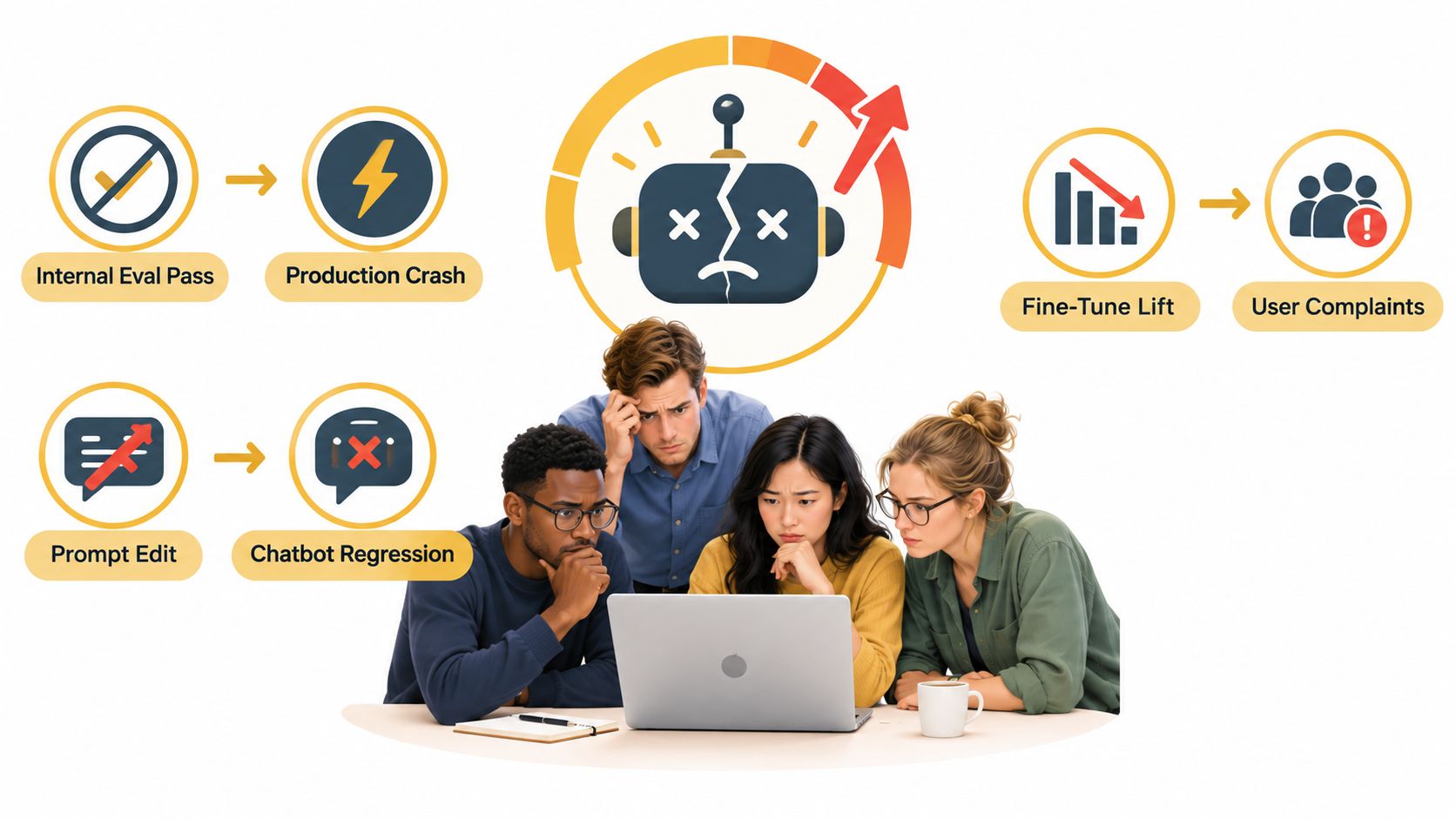
An LLM feature can fail in quiet ways. A chatbot may answer correctly but in the wrong tone. A coding assistant may solve toy tasks but stumble inside your repo. A summarizer may improve on average while getting worse on the one customer segment that matters most. If your process is “run a script, skim outputs, post a number,” you won't catch that reliably.
<a id="what-the-harness-adds"></a>
What the harness adds
A good harness acts like CI for model behavior. It answers a short list of questions every team needs:
Did quality move at all. Better, worse, or just different in a way the average score hides.
Can another engineer replay the run. Same model snapshot, same dataset revision, same prompt template, same decoding settings.
Which failures matter for the product. Not just benchmark misses, but your own failure modes such as refusal style, retrieval grounding, tool-call formatting, or long-context drift.
Practical rule: If a score can't be reproduced by a teammate next week, it isn't a stable engineering signal.
There's also a less obvious reason teams need a harness. Public leaderboard numbers compress a lot of choices into one result. Prompt wording, answer extraction, stop conditions, and scoring rules can all move the outcome. A disciplined harness records what was sent, what came back, and how the grader reached its verdict.
That record is the difference between “the eval passed” and “we know why it passed.”
<a id="what-an-llm-evaluation-harness-actually-does"></a>
What an LLM Evaluation Harness Actually Does
Think of an LLM evaluation harness as a test rig. Application teams use CI to run unit tests against code. Model teams use a harness to run controlled tests against language model behavior.
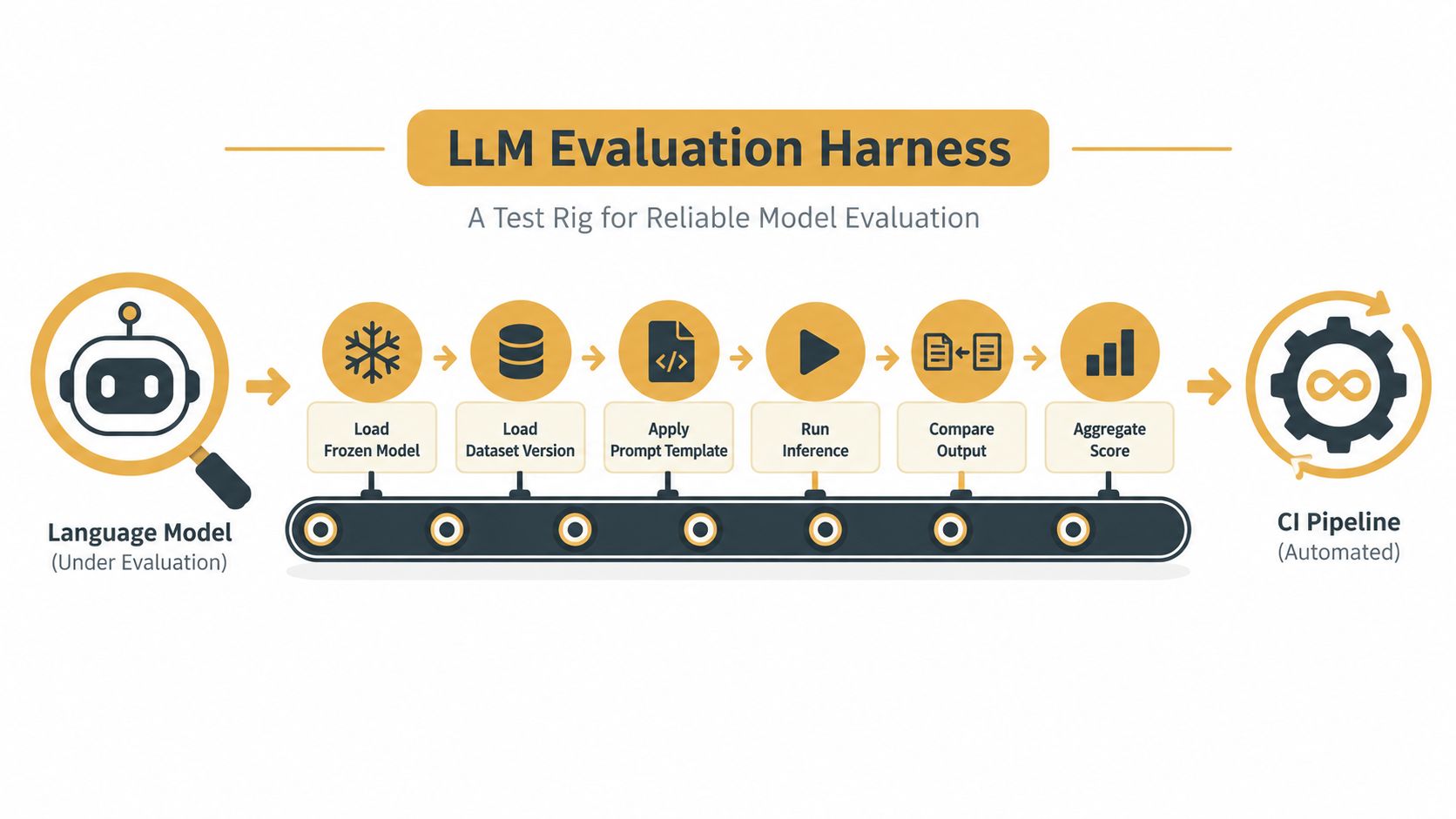
On each run, the harness does a small set of repeatable jobs:
Loads the target under test. That might be a base model, a fine-tuned checkpoint, or a full application wrapper.
Loads a fixed eval set. The harness should know exactly which dataset revision and split it used.
Builds prompts in a controlled way. Same system prompt, same template, same few-shot examples if any.
Executes inference with pinned settings. Decoding choices matter more than many teams expect.
Scores outputs with explicit rules. Accuracy, exact match, rubric-based grading, policy checks, or human review queues.
Stores artifacts for comparison. Raw prompts, responses, metrics, and diffs against a baseline.
A notebook can do parts of this, but notebooks make drift easy. Someone edits a cell. Someone pulls a newer library. Someone reorders examples and forgets to mention it. The result still looks official because it produced a chart.
<a id="why-execution-details-matter"></a>
Why execution details matter
The execution model in EleutherAI's harness is a useful mental model. Each benchmark example becomes a prompt, may include a fixed number of in-context examples, and is then scored with one of three request types: loglikelihood, loglikelihood_rolling, or generate_until, as described in the lm-evaluation-harness execution overview. That design matters because multiple-choice tasks can avoid generation entirely, while open-ended tasks depend on generation and answer extraction, which are much more sensitive to tiny setup changes.
Here's a quick explainer before the demo video.
<iframe width="100%" style="aspect-ratio: 16 / 9;" src="https://www.youtube.com/embed/0S86K9m0v0w" frameborder="0" allow="autoplay; encrypted-media" allowfullscreen></iframe><a id="the-software-mindset"></a>
The software mindset
Treat the harness like production code, not a side script.
Version it with the repo.
Review changes to prompts, graders, and datasets.
Log inputs and outputs so regressions are debuggable.
Make comparisons first-class so a teammate can inspect before and after results side by side.
A harness isn't just a score generator. It's the machinery that makes model behavior inspectable.
<a id="core-components-of-a-modern-llm-evaluation-harness"></a>
Core Components of a Modern LLM Evaluation Harness
A solid harness is modular. A practical architecture separates the stack into a benchmark or dataset hub, model hub, prompting module, metrics, monitoring, experiment management, and an arena or leaderboard layer, as described in the evaluation harness architecture paper. That separation is what lets teams swap one piece without rewriting everything else.
<a id="dataset-layer"></a>
Dataset layer
Start with the dataset layer. Teams usually underinvest here.
A useful eval set has held-out examples, clear provenance, task diversity, and versioning. It should also reflect your application, not just public academic tasks. Public benchmarks are still useful because they give you a stable baseline and a common language for capability checks.
The open-source ecosystem already shows what “many tasks under one interface” looks like. The EleutherAI lm-evaluation-harness remains one of the most widely used open-source frameworks, with 13,940 stars reported by an external index and an active repository with commits in September 2026. A related framework also lists canonical tasks such as MMLU with 57 subjects and 14k questions, GSM8K with 1.3k math word problems, HumanEval with 164 Python tasks, TruthfulQA with 817 questions, and ARC with 7.7k science questions, all under a reproducible interface in the EleutherAI lm-evaluation-harness repository.
That breadth is valuable, but it creates a trap. A benchmark row is not your product. You still need app-specific cases, especially past failures that customers already found.
<a id="metrics-and-graders"></a>
Metrics and graders
Metrics depend on the task shape.
For multiple-choice tasks, exact correctness may be enough. For open-ended outputs, you may need a mix:
Task accuracy for cases with clear answers
Calibration when confidence matters
Toxicity or bias checks for policy-sensitive outputs
Factuality or faithfulness checks for retrieval-heavy systems
LLM-as-judge rubrics when “correct” isn't reducible to string match
Human review where mistakes have high business or safety cost
Stanford's HELM helped normalize this broader view. It benchmarked 30 open, limited-access, and closed language models across 42 scenarios and seven metrics: accuracy, calibration, robustness, fairness, bias, toxicity, and efficiency. It also raised average coverage of core scenarios from 17.9% to 96.0%, and 21 of the 42 scenarios were new to mainstream language-model evaluation, which is why many teams treat it as a foundational milestone in modern eval harness design, as summarized in the HELM overview.
<a id="orchestration-and-reporting"></a>
Orchestration and reporting
Once datasets and metrics exist, the harness still needs machinery around them.
The runner needs operational rules
You need a runner, job scheduling, parallel execution, retries, and basic budget controls. Even an offline eval should know when to back off, how to handle timeouts, and how to separate model failures from infrastructure failures.
Reproducibility needs explicit controls
Every run should capture:
Pinned model identity
Prompt template version
Decoding parameters
Container or environment version
Seeds where applicable
Raw outputs and parsed outputs
Reports should support decisions
A useful report isn't just a single score. It should show side-by-side diffs, threshold gates, per-category breakdowns, and links into raw examples. That's how you catch the ugly pattern where one average improves because another category collapsed.
<a id="designing-reproducible-evaluation-runs"></a>
Designing Reproducible Evaluation Runs
Reproducibility starts before you run anything. It starts in the run definition.
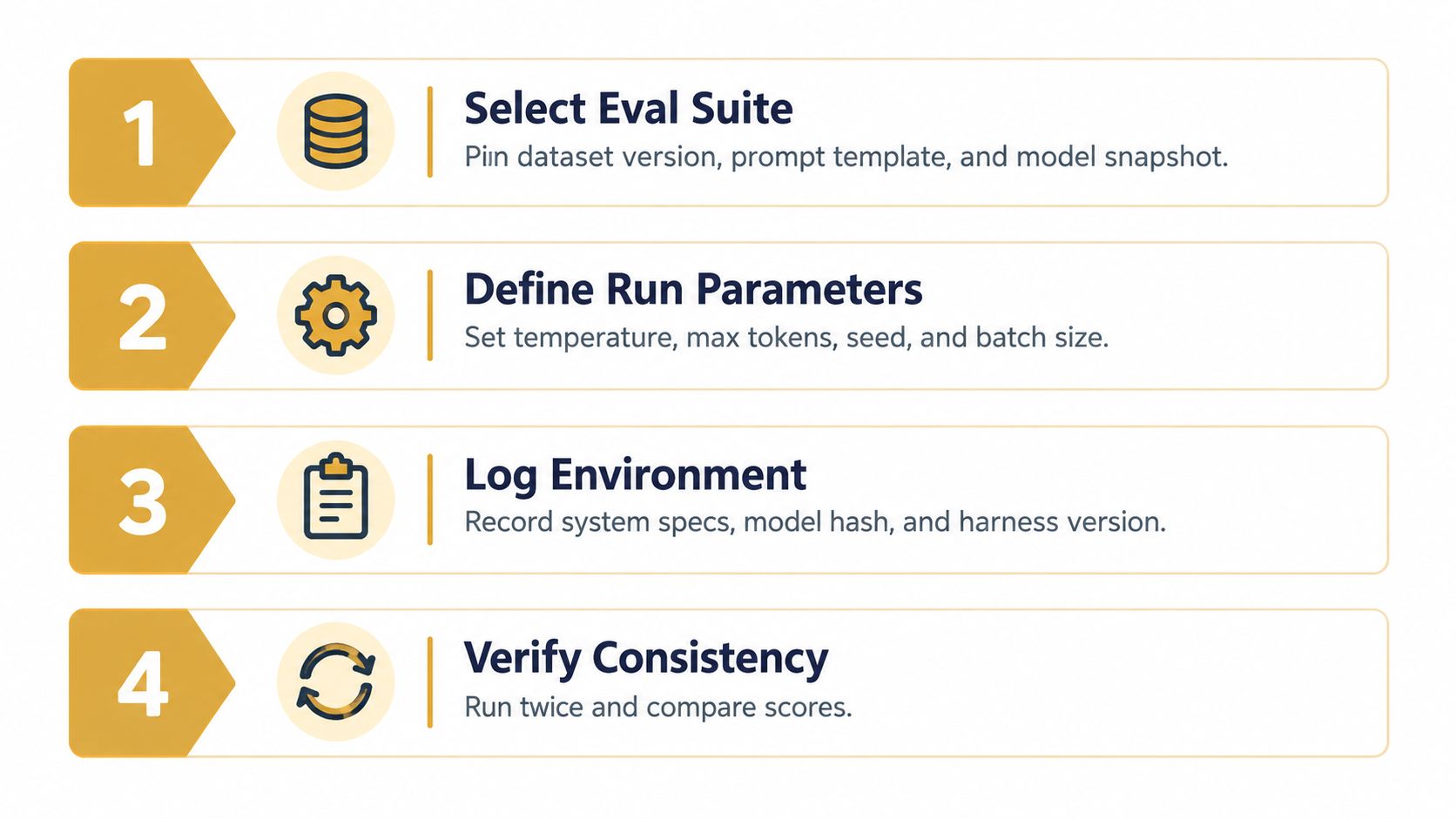
If you want a score to mean something six months from now, you need to pin more than the model. Pin the dataset version, split, prompt template, few-shot examples, and example order. A shuffled sample or lightly edited system prompt can make two runs look comparable when they aren't.
<a id="pin-the-run-surface"></a>
Pin the run surface
A lot of “eval drift” is self-inflicted.
Use a run config checked into version control that includes:
Dataset revision and split
Prompt template ID and any few-shot examples
Example order if order can influence caching or few-shot packing
Model identifier or checkpoint hash
Scoring code version
Parser or answer extraction rules
If your team also tracks product-facing quality metrics, keep those definitions close to your eval config. A good companion read on that discipline is this guide to agent performance metrics.
<a id="lock-decoding-and-environment-details"></a>
Lock decoding and environment details
For generation tasks, decoding settings aren't background noise. They're part of the experiment.
Write down temperature, top-p, max tokens, stop sequences, and any penalties or tool-call constraints. If you change one of those, treat it like changing code under test.
The fastest way to poison an eval history is to compare runs that used different prompts or decoding settings but share the same experiment name.
Environment matters too. Capture the container image, dependency lockfile, runtime library versions, and hardware notes that can affect behavior. If caching or timestamped retrieval is involved, log enough context to explain why repeated runs might differ.
<a id="use-a-replay-checklist"></a>
Use a replay checklist
Before trusting a result, ask another engineer to replay it from the config alone. If they need Slack archaeology, hidden notebook cells, or your memory of which branch had the “real” prompt, the setup isn't reproducible.
A minimum replay checklist looks like this:
| Check | What to verify |
|---|---|
| Config | The full run definition lives in git |
| Inputs | Dataset and prompt revisions are pinned |
| Execution | Decoding and runtime settings are explicit |
| Outputs | Raw responses and parsed scores are stored |
| Comparison | Baseline run is named and retrievable |
Run design sounds boring until the first time a launch decision depends on it. Then it becomes the most important part of the harness.
<a id="why-the-score-belongs-to-the-model-harness-pair"></a>
Why the Score Belongs to the Model-Harness Pair
Many teams talk about benchmark scores as if they're intrinsic model properties. They aren't. In practice, the score belongs to the model-harness pair.
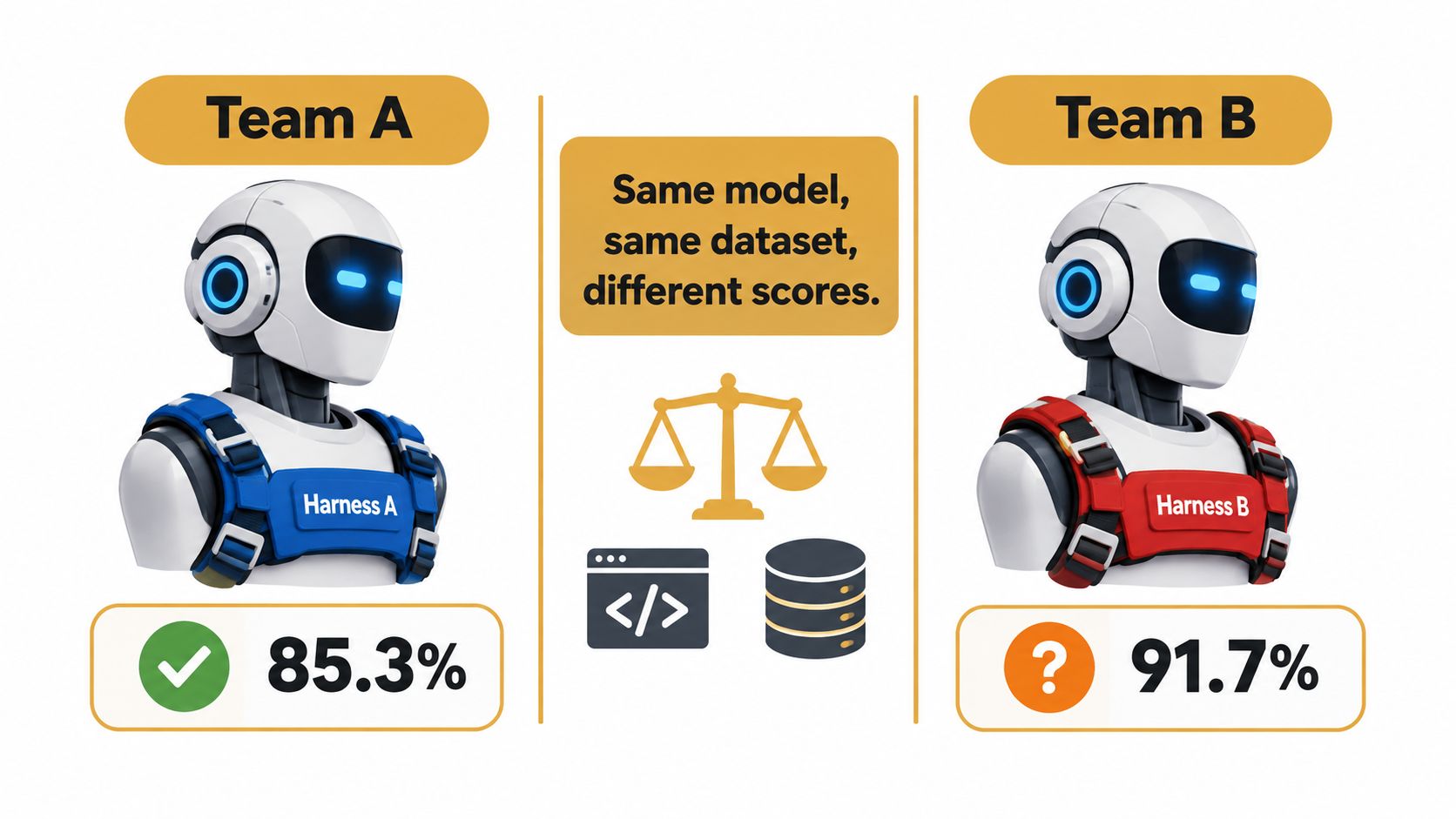
Change the prompt wrapper, answer parser, judge rubric, stop condition, or even a library involved in tokenization, and you may get a different result on the same underlying model. That doesn't mean someone cheated. It means the harness is part of what was measured.
<a id="where-harness-drift-sneaks-in"></a>
Where harness drift sneaks in
Drift often hides in small places:
Tokenization edge cases that alter scoring boundaries
Whitespace or punctuation normalization in exact-match graders
Regex answer extraction that rewards format over correctness
Judge model swaps that change the rubric in practice
Library upgrades that alter generation behavior or parsing
A recent survey makes this explicit. It argues that the score should be treated as a property of the model and harness together, not the model alone, and names open problems such as cross-harness portability, protocol interoperability, and compositional verification in the 2026 survey on evaluation harnesses. The same source also notes that harness design can materially swing outcomes, citing ByteDance's 2026 HarnessDev report where some executor transfers on SWE-Pro dropped from 69.3 to 33.0.
<a id="what-to-do-with-that-insight"></a>
What to do with that insight
This changes how you compare systems.
When you compare models, keep the harness fixed. When you compare harnesses, freeze the model. Don't vary both and then treat the final number as a clean capability signal.
A benchmark score is not a ruler reading taken outside the experiment. It's an output of the experiment setup itself.
That's why mature teams invest in a hosted, versioned evaluation stack instead of a local script collection. The goal isn't ceremony. The goal is to know what your own numbers mean.
<a id="from-static-benchmarks-to-real-agent-workflows"></a>
From Static Benchmarks to Real Agent Workflows
Static benchmark suites and real workflow evaluations solve different problems. You need both, but you shouldn't confuse them.
Static suites are excellent for regression detection and broad capability checks. They're controlled, repeatable, and portable across vendors. Real agent workflow evals tell you whether the system can do the thing your users ask it to do, inside the mess of tools, retries, memory, and long-horizon state.
<a id="static-benchmarks-vs-real-agent-workflow-evaluation"></a>
Static Benchmarks vs. Real Agent Workflow Evaluation
| Dimension | Static Benchmark Suite | Real Agent Workflow Evaluation |
|---|---|---|
| Unit of work | Fixed prompt or benchmark example | Multi-step task, often with tools and state |
| Strength | Reproducibility and comparability | Product relevance |
| Scoring | Usually task metrics with predefined labels | Final outcomes plus trajectory inspection |
| Failure analysis | Good for capability slices | Better for operational failure modes |
| Cost | Usually cheaper and simpler to run | Usually heavier to run and debug |
| Portability | Easier to compare across teams | Highly specific to your system |
| Main risk | Contamination or overfitting to benchmark style | Reward hacking scripted flows or hiding flaky failures |
<a id="why-static-scores-arent-enough"></a>
Why static scores aren't enough
Open-source harnesses make benchmark work practical, and they should stay in your stack. But the hard problems in production usually show up elsewhere. An agent may pass a benchmark yet take a poor path through your workflow, misuse a tool, or waste context on retries before landing on a decent final answer.
The gap is large enough that recent research keeps calling it out. A 2026 survey highlights a 28% false-negative rate in automated evaluation and a 24.2 percentage-point lower human merge rate for benchmark-passing PRs, showing that passing a harness doesn't reliably predict real-world usefulness, according to the LLM agent harness survey dataset summary.
<a id="the-practical-split"></a>
The practical split
Use static suites as a safety net. They catch broad regressions and let you compare model upgrades under clean conditions.
Use workflow evals as proof. They tell you whether your assistant closes the support ticket, writes the valid migration, or completes the repo task without burning time and context. Those evals should trace tool calls, intermediate states, and final outcomes, not just the last response.
<a id="running-evaluation-agents-on-hosted-devboxes"></a>
Running Evaluation Agents on Hosted Devboxes
Teams still treat evaluation as a reporting ritual. They run tests, export JSON, summarize failures in a spreadsheet, and ask reviewers to trust the conclusion. That flow is slow, and worse, it separates the score from the thing being scored.
A better pattern is to run evaluation agents inside hosted devboxes. Package the app, fixtures, prompt templates, and harness code into a container or branch-specific environment. Spin up an isolated machine for the candidate branch. Run the evals there under the same decoding and app settings you expect in deployment.
<a id="what-the-devbox-loop-looks-like"></a>
What the devbox loop looks like
The loop is simple:
Create an isolated environment for a branch, dataset revision, or model variant.
Deploy the application and evaluation code into that environment.
Run the evaluation harness against the live stack, not a mocked fragment.
Publish artifacts that anyone can inspect in a browser.
Those artifacts should include the transcript log, the grader outputs, and a side-by-side diff against a baseline run. A stakeholder shouldn't need local setup to inspect a failure. They should click a preview URL and see the behavior directly.
If you're building this kind of workflow, it helps to think in terms of cloud workspaces rather than one engineer's laptop. This overview of cloud development environments is a good framing for that operating model.
<a id="why-previewability-matters"></a>
Why previewability matters
Clickable previews change team behavior. Reviewers stop arguing from aggregate metrics alone and start inspecting concrete outcomes. Product managers and QA can validate whether “passed eval” matches what they consider acceptable behavior. Engineers can debug the actual running branch instead of reconstructing state from logs.
When an eval result is attached to a live preview, the harness stops being ceremonial and starts being trustworthy.
This also closes an awkward gap in many AI teams. The model says it passed. The engineer says the score improved. But nobody outside the author can see the branch behaving correctly. Hosted devboxes solve that by turning evaluation into a visible artifact, not just a metric snapshot.
<a id="common-pitfalls-and-what-to-verify-before-shipping"></a>
Common Pitfalls and What to Verify Before Shipping
A green eval dashboard can still lead to a bad release. Teams get burned when they confuse harness output with product readiness.
The common failure modes are familiar. Dataset contamination makes the model look smarter than it is. Brittle regex graders reward the right format instead of the right answer. Single-seed runs hide decoding variance. Aggregate metrics bury the category that just regressed badly.
<a id="verify-these-before-merge"></a>
Verify these before merge
Dataset provenance: Know where examples came from and whether training leakage is plausible.
Grader calibration: Check that automated graders line up with human judgment on the cases that matter most.
Variance across runs: Don't trust a single roll if the task involves generation.
Canary realism: Keep a held-out slice that resembles actual user traffic, not just benchmark-style prompts.
Category breakdowns: Inspect segments, not only the headline score.
A short caution on interpretation helps here. Teams often overread small score differences and underread obvious qualitative failures. This guide to the interpretation of statistics is worth sharing with anyone who treats an eval chart like a court ruling.
<a id="short-faq"></a>
Short FAQ
Does a passing harness mean the model is ready to ship?
No. It means the model passed the checks you defined. That's evidence, not a verdict.
Should we trust benchmark improvements?
Trust them as regression signals. Don't treat them as direct proof of product value.
What deserves human review?
High-stakes tasks, ambiguous failures, and any case where the grader itself may be brittle.
Sokko gives teams a practical way to close the loop between evaluation and real behavior. You can run agent changes on isolated devboxes, inspect the branch at a live preview URL, and review eval outcomes as something clickable instead of a spreadsheet ritual. If that's the operating model you want, visit Sokko.