

The most popular advice on how to create an AI agent starts in the wrong place. It treats the agent as a prompt plus a model, then celebrates when a notebook produces a convincing answer. That approach can create a useful prototype, but it doesn't explain what happens when the agent must access a repository, call workplace tools, preserve context, run code, or prove that its output works.
A production agent is an operational system. It needs isolated compute, controlled credentials, persistent memory, observable tool calls, and a live environment where people can inspect the result. The difficult work begins after the prompt sounds good.
Table of Contents
Moving Beyond the Chatbot Demo
A chatbot returns text. An agent must decide what to do, select tools, perform actions, handle failures, and stop safely. That distinction became practical through a sequence of infrastructure changes. Structured function calling in June 2023 made reliable tool invocation more accessible, while SWE-bench launched in October 2023 with 2,294 real GitHub issues for evaluating software engineering agents, as documented in this history of AI agents.
The shift continued beyond text interfaces. In 2024, Anthropic demonstrated computer-use capabilities where an agent could move a cursor, click, and type on a real screen. The Model Context Protocol appeared in November 2024 as a standard way to connect models with tools and data. Together, these milestones describe the important change: agents don't just generate language, they interact with environments.
The prototype boundary
A notebook is a good place to validate a task. It isn't a deployment architecture.
A useful prototype can answer whether a model understands the job, whether a tool returns the required information, and whether the expected output is worth automating. Production introduces different questions:
Where does the process run? A long-lived agent needs dependable compute rather than a temporary request handler.
What can it access? Credentials must be scoped to the task, not copied into an unrestricted environment.
What does it remember? Context that disappears after a session forces teams to repeat decisions and creates inconsistent behavior.
How is its work tested? An agent that claims to have changed an application needs a running preview, logs, and a human review path.
Practical rule: Treat the model as one component inside the agent. The runtime, tools, state, permissions, and feedback loop determine whether the system is useful.
The last mile is where many builds stall. In a 2024 enterprise survey, 86% of enterprises said they needed technology-stack upgrades to deploy agents properly, and 42% needed access to eight or more data sources, according to the enterprise deployment survey. Those findings point to an infrastructure problem, not merely a prompt-writing problem.
Start narrow, then add evidence
The reliable starting pattern is one agent, one model, and two or three focused tools. Give each tool a semantic name, a precise description, and strict input and output schemas. Layer the system prompt into role and scope, constraints, and explicit routines. Then add tracing and evaluations before adding orchestration.
This advice aligns with Anthropic's guidance on effective agents: begin with the simplest architecture that can solve the task, and introduce multi-agent coordination only when production evidence justifies it. More components create more handoffs, more state, and more failure modes. A hosted runtime can remove server maintenance, but it can't rescue an undefined objective or an unbounded permission model.
Choosing the Right Runtime for Your Workflow
The runtime should follow the workflow, not the other way around. A coding agent that opens pull requests has different needs from a support assistant that listens across messaging channels, and neither should inherit a multi-agent orchestration layer without a reason.
The four runtimes below represent distinct operating models. Hermes suits teams comparing models and building reusable skills. OpenClaw fits communication-heavy work across many channels. Paperclip is designed for agents that need roles, budgets, coordination, and auditability. Cursor is a focused choice for headless coding work that produces pull requests and responds to review.
Match the runtime to the work
Hermes is useful when model flexibility matters. Its skills library supports repeated workflows that can improve as the team refines instructions and tool use. That makes it a natural fit for experimentation across providers, provided the team still defines permissions and evaluates behavior outside the chat window.
OpenClaw makes more sense when the agent is a communication surface. It supports 18 messaging channels, so an operations team can centralize interactions across the places where work already arrives. The trade-off is breadth: every connected channel expands the number of identity, notification, and access decisions that need review.
Paperclip is the orchestration option. Its value appears when several agents have distinct roles and the organization needs budgets and a full audit log. It adds structure, but that structure has a cost. If one agent can complete the workflow, Paperclip's coordination layer may be unnecessary complexity.
Cursor is the narrowest choice in this group. It targets headless coding tasks, including opening pull requests and responding to reviews. It works well when the repository workflow is the product. It isn't the right runtime when the primary interface is a messaging network or when the system requires broad multi-agent planning.
| Runtime | Core strength | Ideal use case |
|---|---|---|
| Hermes | Broad model experimentation and a self-sharpening skills library | Teams testing models and codifying repeatable workflows |
| OpenClaw | Multi-channel communication across 18 platforms | Support, operations, and messaging-based assistants |
| Paperclip | Multi-agent orchestration with roles, budgets, and audit logs | Coordinated agent teams with explicit control requirements |
| Cursor | Headless coding tasks that open pull requests | Repository automation and code review workflows |
Before provisioning anything, define the job's primary execution surface. The agent runtime overview is useful for checking the supported operating model, but the architectural decision remains yours. Choose the smallest runtime that gives the agent the tools and control boundaries it needs.
Avoid premature orchestration
A common mistake is selecting an advanced runtime because the future workflow might require it. Start with the workflow you can test now. If the agent repeatedly fails because it needs parallel roles, separate budgets, or coordinated memory, then introduce those capabilities with a clear failure pattern to justify them.
The model may change later. The runtime decision is harder to reverse because it shapes integrations, state, observability, and deployment procedures. Optimize for a clean operational boundary first.
Provisioning Isolated Compute and Keys
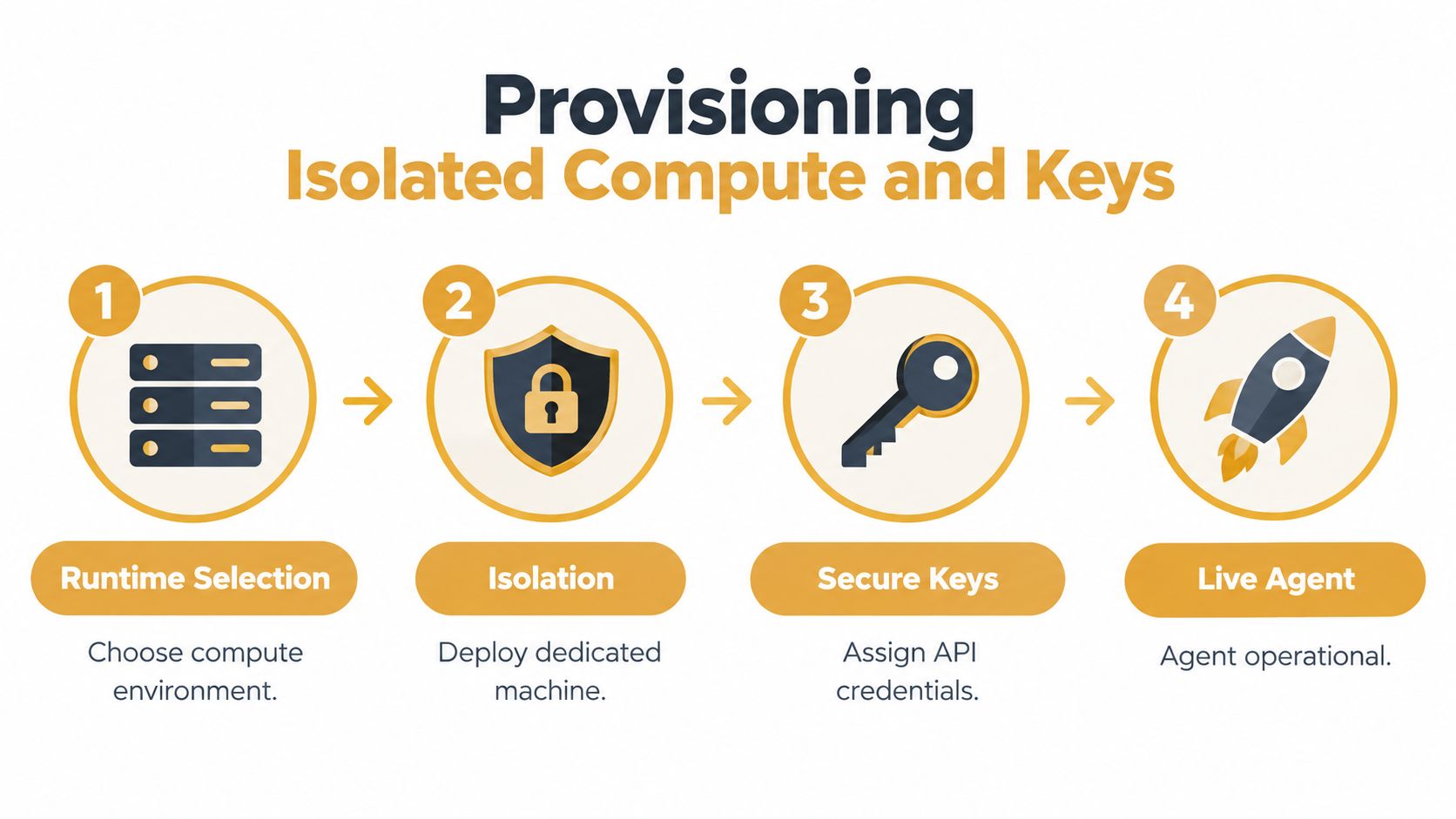
Once the runtime is chosen, deploy it somewhere that can remain available and be inspected. Shared serverless execution is convenient for short requests, but an always-on agent benefits from a dedicated machine. A one-agent-per-machine design limits noisy-neighbor effects and gives the process predictable access to its files, integrations, and runtime environment.
Define the environment in files
Keep configuration readable and versionable. Plain-Markdown files can describe the agent's identity, operating boundaries, memory conventions, and recurring routines without hiding the system inside a proprietary editor. Store those files in git, review changes like code, and make a rollback possible when a prompt or policy change causes regressions.
A practical provisioning sequence looks like this:
Select the runtime and region. Choose the runtime that matches the workflow, then place the machine where residency and network requirements can be met.
Create the isolated machine. Assign dedicated compute, storage, and the runtime's persistent files. The process should restart automatically when the host detects a failure.
Assign credentials by capability. Give the agent only the API keys and integrations required for its job. Separate read access from write access wherever the workflow permits.
Connect workplace systems. Add GitHub for repository work, Slack or Telegram for notifications, and Linear or Notion when the agent needs project context.
Deploy and inspect. Use the dashboard to launch the machine, then open a live browser terminal to inspect files, logs, processes, and tool responses.
Bring-your-own keys are important for both control and cost visibility. With bring-your-own API keys, teams can connect credentials for Claude, GPT, Gemini, or local endpoints, while usage remains billed at the labs' own prices without a platform markup. The operational requirement doesn't disappear: keys still need rotation, scope limits, and an owner.
Make debugging part of the deployment
A deployment isn't complete when the status changes to running. Check that the agent can authenticate, reach each approved integration, read its configuration, and fail clearly when a permission is missing. Test the same workflow with an intentionally unavailable tool so the fallback behavior is visible.
A live terminal is valuable because it shortens the distance between an observed failure and its cause. Developers don't need local SSH keys or a separate shell setup to inspect the environment. They can see what the agent sees, which is often the difference between fixing a tool schema and blindly revising a prompt.
Closing the Loop with Devbox Previews
An agent that edits code but can't run the result leaves the human with an unverified claim. The stronger pattern is an agent-to-devbox loop. The agent creates or updates a branch, deploys that branch to an isolated development machine, reads the logs, and gives a person a real URL to test.
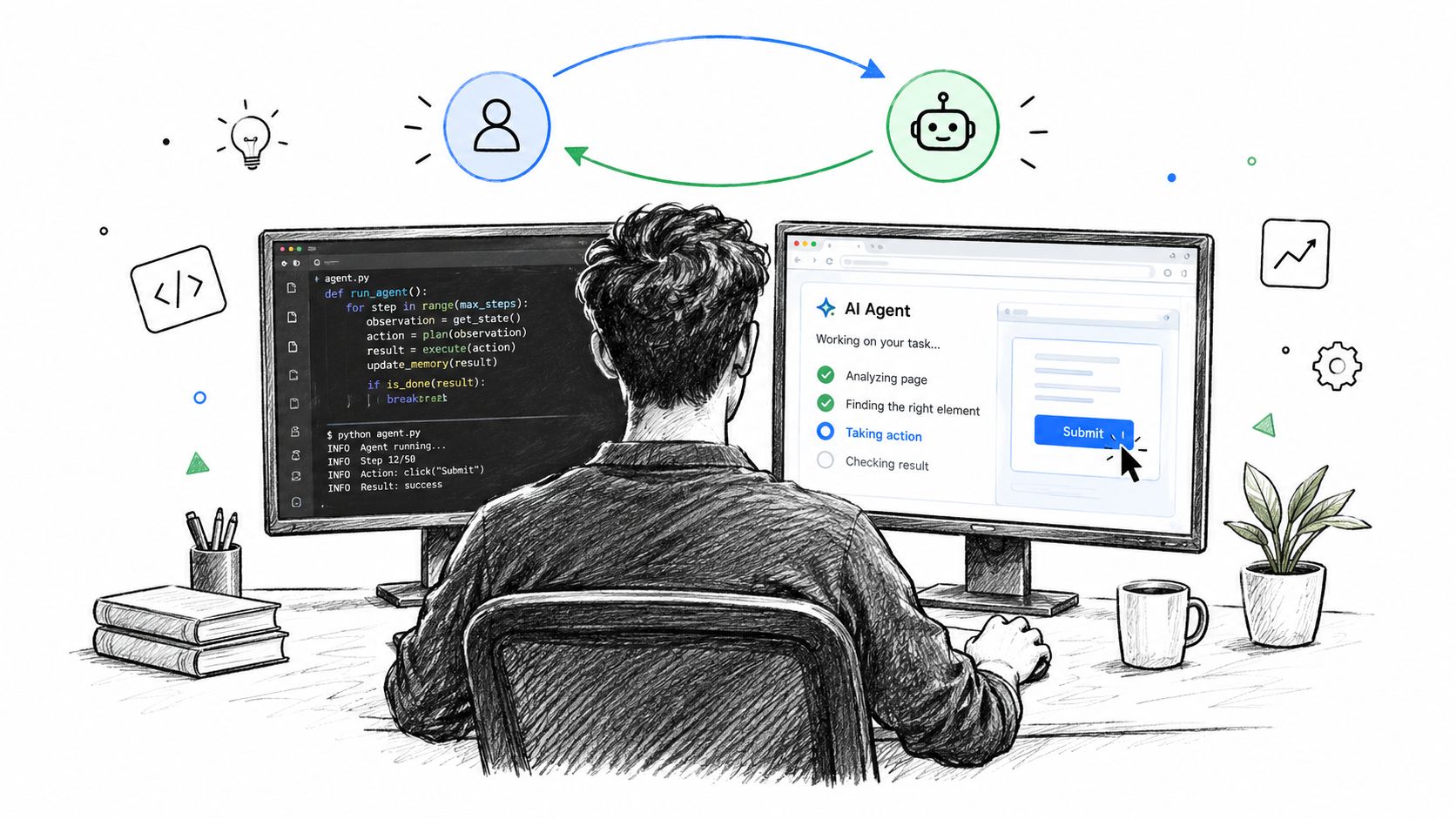
Consider a request to add an account settings page. The coding agent first inspects the repository and identifies the application stack. It creates a feature branch, changes the routes and components, runs the available checks, and deploys the branch to a disposable cloud machine. The machine runs the repository's app, databases, and queues behind a team-gated preview URL.
Let the environment challenge the output
The preview changes the review question from “Did the agent say it finished?” to “Does the feature work when someone clicks it?” A human can follow the navigation, submit a form, inspect an error state, and compare the result with the requested behavior. The agent can read startup logs and respond to runtime errors instead of stopping after a syntactically valid edit.
This is why cloud development environments matter to agent workflows. They give the output a place to execute, not just a place to exist in a branch. Disposable environments also reduce the risk of testing unfinished code against shared development infrastructure.
The loop is especially useful for full-stack changes. A model may correctly edit a Next.js component while missing an environment variable, a database migration, or a queue dependency. A running preview exposes those integration failures early. The team can keep the devbox private inside its network or provide a signed-in organizational URL, depending on the sensitivity of the branch.
Keep previews disposable
A preview machine should have a clear lifecycle. Start it for a branch, preserve the logs and relevant data long enough for review, then tear it down when the decision is complete. Automatic idle stopping is useful because it retains the environment's state without leaving every inactive process running indefinitely.
The platform can detect common stacks such as Docker Compose, Next.js, Django, Rails, Go, FastAPI, and Vite, then reuse a healthy setup for the organization. That removes repetitive environment wiring, but teams should still define seed data, secrets, and migration behavior explicitly. Automatic detection is a deployment convenience, not a substitute for an application contract.
Governing Agents in Production Environments
Shipping an agent creates an ownership problem that prompt tutorials rarely address. Someone must approve its permissions, review its behavior, monitor its tools, and decide when to disable it. Without those responsibilities, a technically functional agent can become an unaccountable production actor.
The governance gap is measurable. SAP LeanIX reports that only 17% of companies have visibility into agent performance or conformance, while 48% have no clearly defined responsibilities for agent governance, according to its agentic AI survey. Those figures describe an operational weakness: organizations can deploy an agent before they know who is responsible for its actions.
Assign ownership before access
Create an owner for each production agent and record four decisions:
Permission owner: approves the tools, repositories, channels, and data sources the agent can access.
Behavior owner: maintains the system instructions, fallback rules, and evaluation set.
Operations owner: watches uptime, latency, errors, and integration failures.
Shutdown owner: can revoke credentials and stop the agent without waiting for a committee.
This structure matters because security concerns are already slowing adoption. Okta reports that 69% of organizations say security concerns are slowing adoption, with data leakage and over-privileged access among the leading barriers, as described in its AI agent security research. Granting an agent broad access “temporarily” is rarely temporary unless the system records an expiry and enforces it.
Monitor behavior, not just uptime
A green process is not evidence of a correct agent. Monitor tool-call failures, rejected permissions, unusual access patterns, repeated retries, and escalation frequency. Keep an audit trail that connects a user request to the model decision, tool arguments, tool result, and final action.
Gravitee reports mean monitoring coverage of 52%, which implies that 48% of production agents are running without monitoring coverage, as reported in its agent monitoring analysis. The exact coverage target depends on the workflow, but an agent that can modify code, send messages, or access customer data needs more than a heartbeat check.
Persistent shared memory also needs governance. Let multiple agents read and write an organization-controlled memory store when coordination requires it, but define what belongs there, who can update it, and how stale decisions are removed. Use separate memory scopes for clients or teams, and choose regional storage and inference according to the workload's residency requirements. A kill switch should revoke tool credentials, stop execution, and preserve enough logs for investigation.
Scaling from Local Tests to White-Label Fleets
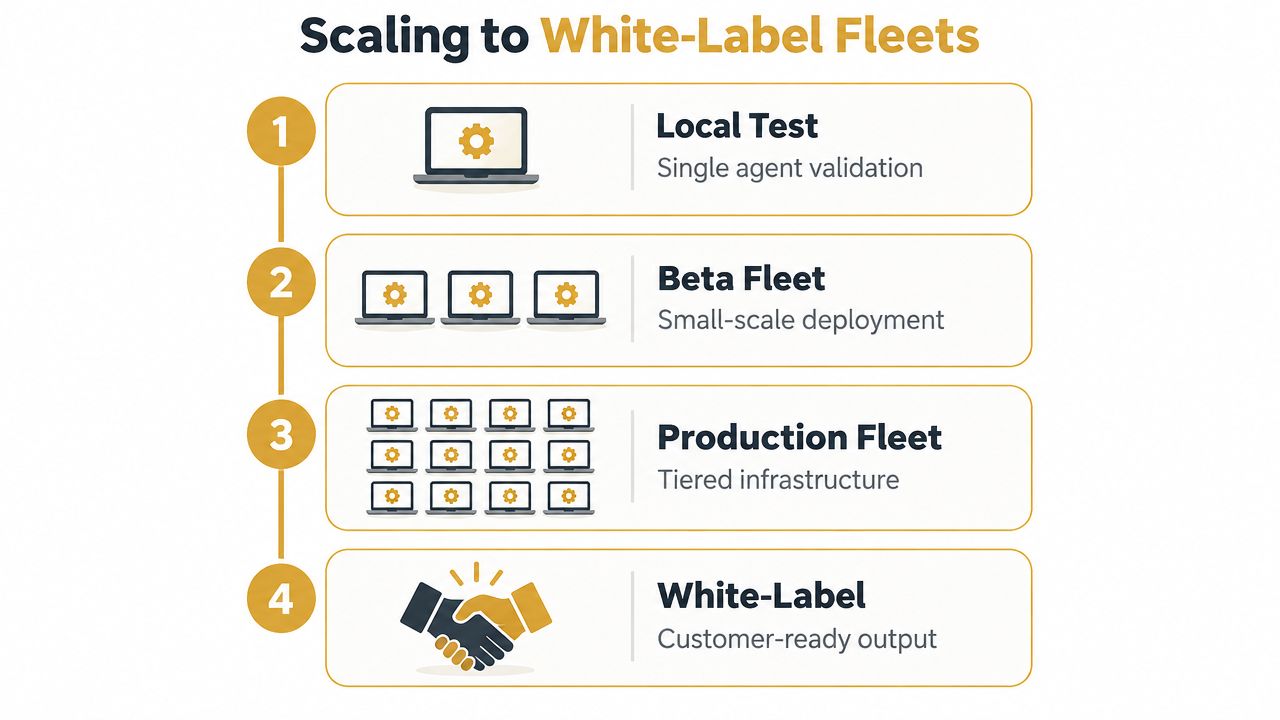
Scaling an agent isn't just copying its configuration to more machines. The repeatable unit is a governed package: runtime, model access, tool permissions, memory scope, evaluation cases, deployment target, preview policy, and named owners.
Use a promotion checklist
Move through environments only when the agent produces evidence at each stage:
Local test: Validate the task definition, schemas, prompt layers, and basic tool behavior with a small set of representative requests.
Isolated beta: Run the agent on dedicated compute with realistic credentials, persistence, failure injection, and human review.
Production fleet: Add monitoring, audit logs, regional placement, memory boundaries, and a documented shutdown procedure before increasing autonomy.
White-label delivery: Separate each client or tenant, use invite-only access, attach custom domains, and keep client data and credentials isolated.
Measure task completion, not just polished language. Useful metrics include success rate, task success rate, pass@k, execution accuracy, and progress rate. The Microsoft agent best-practices guidance recommends evaluating agents in realistic web, desktop, and policy-constrained environments, because static tests can hide brittle tool calls and weak guardrails. Surveyed benchmark results reached 74.3% top performance as of April 19, 2026, leaving substantial room for failures in less controlled environments.
Plan the fleet around workload shape
Devboxes should stop when idle and preserve the data needed for review. Agent machines should remain available when the workflow depends on scheduled jobs, inbound messages, or continuous monitoring. Regional hosting can support EU data residency for workloads with stricter location requirements, while per-client isolation prevents one organization's memory and credentials from leaking into another's context.
A platform such as Sokko provisions isolated machines for OpenClaw, Hermes, Paperclip, and Cursor, supports shared persistent memory and bring-your-own model keys, and connects agent work to devbox previews at real URLs. Its dashboard, live terminal, git-friendly Markdown configuration, regional hosting, and custom-domain controls address different parts of the deployment lifecycle, but teams still need to define their own approval and review policies.
Start with one workflow that has a clear owner and a measurable completion condition. Deploy it to isolated compute, connect it to a live preview or real workplace system, inspect every failure, and promote only the version that can be monitored and stopped. If you need that lifecycle packaged into managed agent hosting and devbox infrastructure, visit Sokko to deploy an always-on runtime, connect your tools, and give your team a real environment for reviewing the work.