
An AI agent has just opened a pull request from a Sokko devbox. The branch runs, the feature is ready to test, and a live preview exists, but the team is discussing a different incident in Slack. Unless the pull request reaches the right channel with enough context, it can sit unnoticed in GitHub while the agent continues working.
That's the core problem behind a Slack GitHub integration pull request workflow. Basic notifications tell people that something happened. An agent workflow must tell them what changed, where to test it, which checks matter, and what action is needed next. The official GitHub integration has developed from a notification channel into a workflow surface, supporting pull request events, checks, comments, reviews, and actions from Slack, as documented in the GitHub Slack integration repository and the GitHub app listing in the Slack Marketplace.
Table of Contents
Why Agents Need a Direct Line to Slack
An AI agent can open a pull request while the team is handling other work. It may create a branch, run checks, publish a devbox preview, and push another commit before anyone notices the first handoff. The workflow succeeds only when Slack delivers the right context to the people who must review or test it.
Consider an agent-generated checkout change. The pull request includes the diff and a passing check, yet the product manager does not know it is ready. QA lacks the preview URL, and the assigned engineer sees the request after the agent has changed the branch again. The code can be correct while the delivery process remains stalled inside GitHub.
Slack gives that handoff a working channel. A routed pull request can open discussion among engineering, product, and QA, while reviewers inspect the request and use supported GitHub commands without moving every decision elsewhere. GitHub documents creating, commenting on, and managing issues and pull requests from Slack, including support for Slack Enterprise Grid (GitHub's Slack usage documentation).
Practical rule: An agent-generated pull request should arrive with a decision path, not just a link.
The integration supports the event and status information an agent workflow needs. GitHub's integration repository documents pull request events and the checks expansion (GitHub's integration repository). That means a Slack message can carry review state instead of forcing someone to infer progress from a bare URL. The app listing also describes the GitHub integration's Slack capabilities (the Slack Marketplace listing).
Routing still requires judgment. Send agent pull requests to the channel where ownership is clear, include the repository and branch, and attach the live devbox preview URL when testing is part of the review. Keep check results and requested action visible in the same message. Otherwise, an always-on agent can generate a steady stream of technically accurate alerts that leave humans unsure which event deserves attention.
The goal is a shorter path from automated change to human decision. Slack should show what the agent changed, whether checks and review state support testing, where the preview runs, and who needs to act next.
Installing the App and Granting Permissions
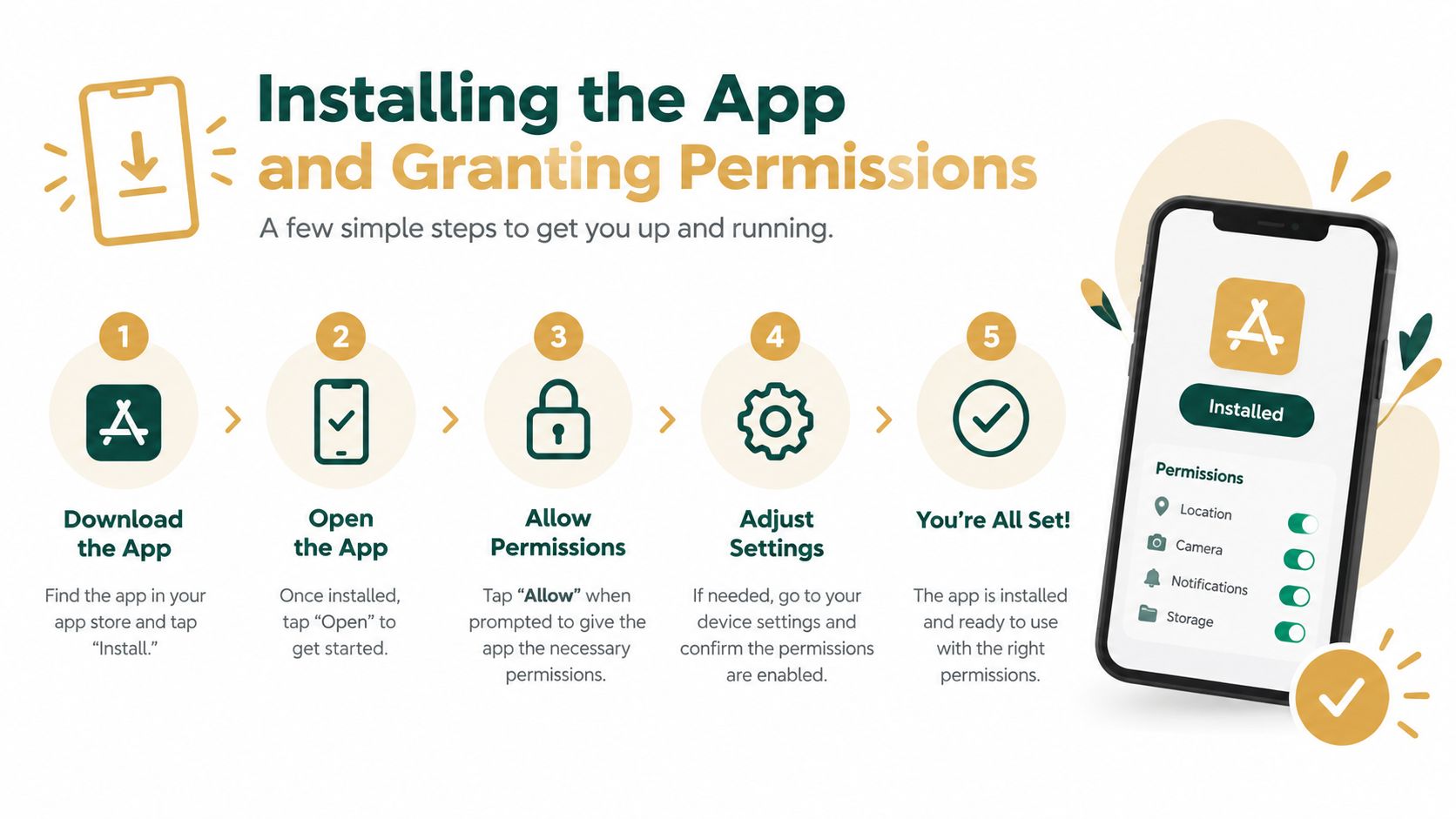
Start with the workspace installation, then verify repository access before you build agent automation around it. A successful Slack installation doesn't automatically mean the app can see every private repository or perform every pull request action.
Install at the workspace level
In Slack, open the app directory, search for GitHub, and install the official app. Then connect the relevant GitHub identity and organization. For a private repository, the GitHub organization may require an administrator to approve access. Treat that approval as a repository governance decision, not a routine checkbox.
A useful companion is this guide to connecting GitHub to Slack, especially when the agent itself also needs GitHub access. Keep the agent's authorization separate from the Slack app's authorization, and document which identity owns each connection.
Verify the permissions that matter
For a human-only notification setup, read access may be sufficient. Agent-assisted pull request operations need more careful verification:
Pull request read access lets Slack retrieve the request, status information, and preview references.
Pull request write access enables supported actions from Slack, such as commenting or managing the pull request.
Issue permissions matter if the workflow links an issue to the agent's implementation task.
Organization and repository scope should cover only the repositories that the team intends to expose.
The Slack Marketplace documentation describes detailed pull request permissions, including read access to preview links and write access for actions on pull requests. Don't grant broad organization access merely because the agent might need it later. Start with the repositories routed to the agent workflow, then expand deliberately.
Test with a harmless request
Invite the app to the target channel with /invite @github. Open or update a test pull request, then confirm that Slack displays the event and that the available actions match the permissions you approved. If the app can display the request but can't perform an intended action, inspect the GitHub authorization and organization approval before changing Slack channel settings.
Subscribing Channels to Pull Request Events
An AI agent can open several pull requests while the team is offline. If those events land in a general engineering channel, reviewers must search through release updates, incidents, and support questions to find work that needs attention. Route agent activity to a channel with a clear review purpose.
Invite the GitHub app to the target channel:
/invite @github
Then subscribe the channel to pull request events:
/github subscribe OWNER/REPO pulls
The channel subscription workflow requires the app to be installed in the workspace, invited to the channel, and subscribed to the repository. Using the pulls scope keeps the feed focused on pull requests rather than the repository's full event stream.
Route by review purpose
Separate channels by audience and response time. An agent-testing channel can receive draft pull requests and automated status changes. A review triage channel can receive requests ready for human inspection. Send an agent-generated request to a product-facing channel only when it includes a working preview and clear testing instructions.
Do not duplicate one repository subscription across every broad engineering channel. Assign each channel a purpose, then route only the events that support it. The official app also supports review subscriptions scoped to a specific channel, using commands such as /github subscribe OWNER/REPO reviews:"CHANNEL". This keeps review activity visible to the right group without filling unrelated conversations with bot messages.
Control the notification model
Agent branches may produce repeated updates as the agent addresses review comments. Decide which events deserve a new parent message and which belong in a thread. The GitHub Slack integration also provides a channel setting for disabling threaded pull request and issue notifications when threading creates too much noise.
Keep the parent message stable and place incremental agent updates in its thread when possible. Make the parent answer three questions immediately: what changed, who should review it, and where can someone test it. That structure gives reviewers a reliable entry point while keeping automated activity from overwhelming the channel.
Routing Devbox Previews into the Conversation
A pull request link tells people where the code lives. A devbox preview tells them what to click. For agent-generated work, that distinction is significant because reviewers often need to validate behavior before reading the implementation.
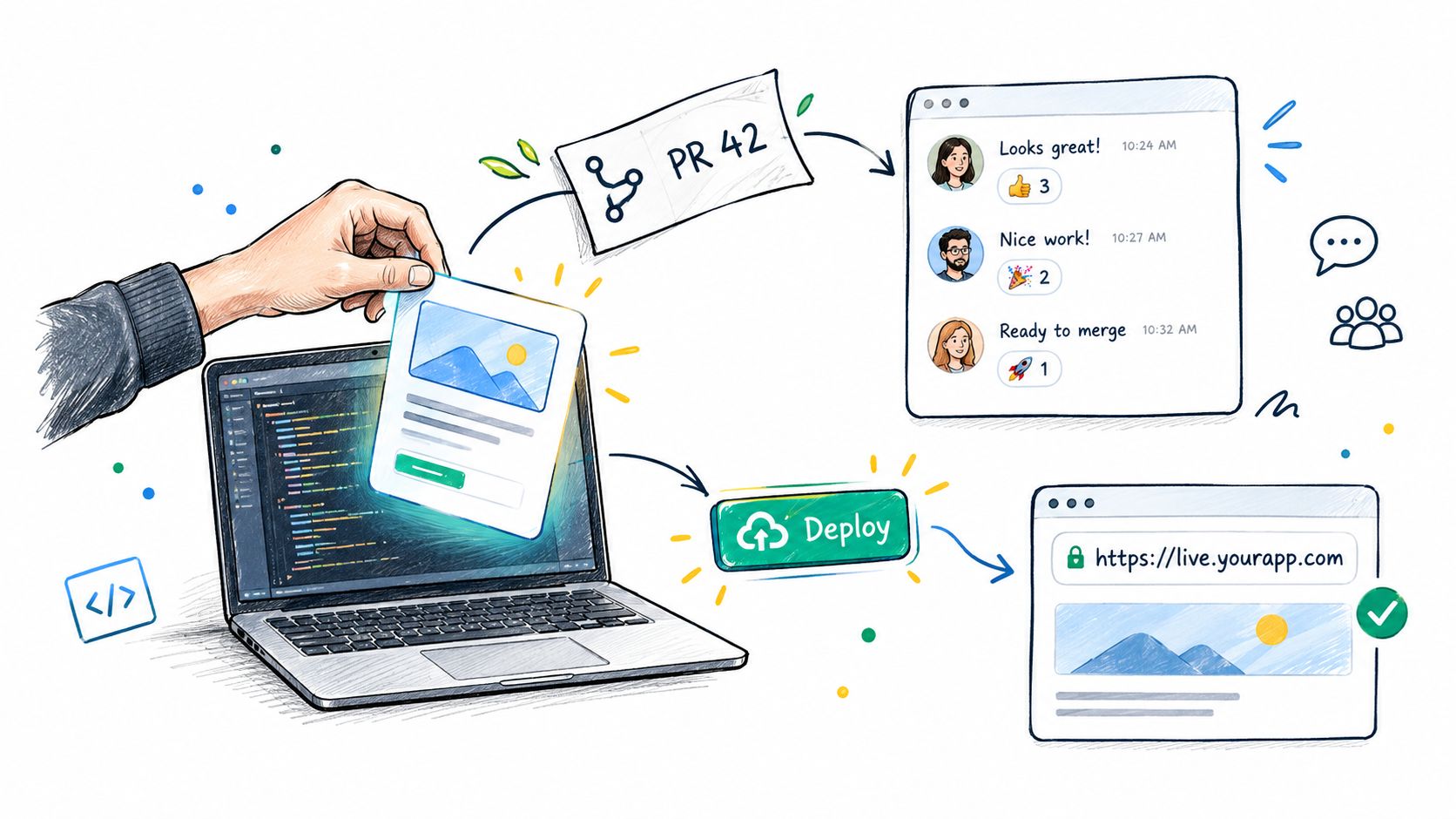
The cleanest pattern is to make the agent deploy its branch, capture the resulting preview URL, and write that URL into the pull request body before sending the request to Slack. A devbox runs the repository's full stack behind a real URL, so a reviewer can test the branch without cloning it locally. Sokko describes this workflow through its cloud development environments, where an agent can deploy a branch and expose a browser-accessible environment.
Put the preview link in the pull request body
Use a consistent section in every agent-generated pull request:
## Preview

Open the live preview

## Validation

- Scenario to test: submit the checkout form with a valid address
- Expected result: the confirmation state appears
- Known limitation: test payments are disabled
The exact URL will vary by environment. The important part is consistency. Put the preview near the top of the pull request body, use descriptive link text, and explain what a human should verify. Slack can then surface the pull request link and its description in the notification, giving the channel enough context to act.
A preview URL without a test instruction is only a destination. Pair it with a specific behavior to verify.
Add a comment when the preview becomes available after the pull request was opened. That comment creates a visible audit trail and gives the Slack channel a new event to surface. If the agent refreshes the environment after a push, update the same pull request section rather than scattering obsolete URLs across multiple comments.
The next handoff should be explicit. The agent can say that the branch is deployed, identify the preview link, summarize the checks, and request a review from the owning team. Slack users should be able to click from the message, test the behavior, and reply in the thread with a concrete observation.
Treat access as part of routing
A public-looking preview URL may still require the reviewer to sign in to the organization, while a private devbox may be reachable only through the team's network. Communicate that access model in the pull request description. Otherwise, Slack users may interpret an inaccessible preview as a broken deployment.
Don't post secrets or temporary credentials in the pull request body. The agent should expose only the preview address and safe test instructions. Keep logs, tokens, and internal diagnostics in the devbox or CI system, where access can be controlled separately from the Slack conversation.
Troubleshooting Silent Webhooks and Missing Alerts
Silent failures usually come from the connection between systems, not from the pull request itself. Diagnose the path in order: repository authorization, Slack channel membership, subscription state, and event delivery.
Start by checking the channel subscription with the GitHub command that lists subscriptions. Then confirm that the GitHub app still has access to the repository and that the Slack app remains a member of the channel. If an organization changed repository permissions, the original installation may no longer cover the branch or repository the agent is using.
Common Integration Failures and Fixes
| Symptom | Root Cause | Resolution |
|---|---|---|
| A pull request exists, but no Slack message appears | The channel isn't subscribed to pull request events | Run /github subscribe OWNER/REPO pulls in the intended channel |
| Slack shows older repository events but not new agent requests | Repository authorization or organization approval changed | Recheck the GitHub app installation and approve the repository again |
| The app can post but can't manage a pull request | Pull request write access wasn't granted | Review the GitHub authorization scopes and reconnect the account |
| Alerts stopped after a channel was archived | The app membership or subscription no longer applies to the restored channel | Invite @github again and recreate the subscription |
| A preview link is missing | The agent opened the pull request before writing the deployed URL | Add the preview section to the pull request body or post a follow-up comment |
| Users see different preview results | Private repository or preview access is user-specific | Have each intended reviewer authenticate and verify devbox access |
Use the Slack chat bot setup guidance when the wider agent-to-chat connection is also failing. Separate a GitHub integration problem from an agent transport problem by checking whether a manually created pull request reaches Slack. If manual events work but agent events don't, inspect the agent's repository, branch, and pull request creation path.
Check delivery without guessing
Look for the latest delivery attempt in the relevant GitHub app or integration settings. Confirm whether GitHub emitted the event and whether Slack accepted it. A missing delivery record points toward repository or webhook configuration. A successful delivery with no visible message points toward channel membership, filtering, or subscription state.
Re-authentication is often appropriate after an account change, organization migration, or permission rotation. Don't immediately reinstall everything, though. Reinstalling can remove the subscriptions you intended to preserve, so record the target channels and repositories before changing the workspace connection.
Scaling the Workflow Across Multiple Agents
Multiple agents need a routing policy before they need more notifications. If every agent posts to one engineering channel, reviewers cannot tell a ready change from an experiment, failed deployment, or stale request.
Set clear naming and ownership rules. Route repositories to team channels, keep an agent-testing channel for exploratory work, and use a review triage channel for pull requests awaiting a human decision. The official integration also works with Slack Enterprise Grid, allowing centralized app administration across larger workspace structures.
Use a repeatable onboarding checklist
For each repository and agent, verify:
The agent can access the intended repository and create a branch.
The devbox deploys that branch and returns a reachable preview URL.
The pull request body contains a summary, validation steps, and preview link.
The target Slack channel includes
@github.The channel subscription includes pull request events.
Review and comment events reach the owning team's channel.
A test pull request produces the expected Slack message.
The team knows whether the preview requires organization sign-in or private network access.
Standardize the pull request format across repositories. Keep the summary short, name the behavior changed, list checks, and place the preview link consistently. Reviewers can then scan agent-generated requests without learning a separate template for each runtime.
Agents also need channel routing that reflects ownership. Send routine pull requests to the repository team, route failed previews or repeated retries to the agent-testing channel, and reserve triage for requests that require a decision. This keeps live devbox URLs attached to the change they represent instead of scattering them across unrelated conversations.
The workflow scales when Slack carries decisions and testable context, while GitHub remains the source of truth for code and review history. Use Slack for routing, discussion, and supported actions. Use GitHub for the durable pull request record. Use devboxes to validate the running branch directly.
Sokko hosts always-on agents and devboxes with live preview URLs. Visit Sokko to see the workflow end to end.